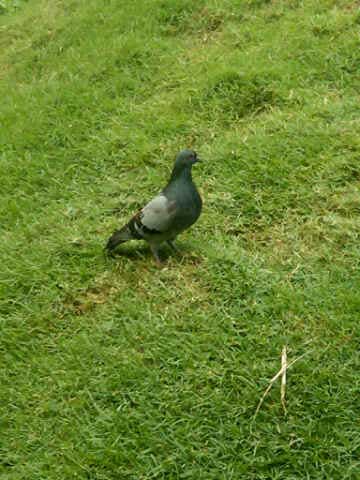
- go to Media>>Pictures and choose the picture you want. For example, I found this picture in my gallery. If I want to use this dove as my wallpaper, setting it as it is, is not that attractive, in my opinion. I need to recompose it


- What I need to do is just tap on my Blackberry Storm or Blackberry menu and select Zoom In and repeat until certain level and move it around so it can fit nicely on the front page.

- After that press Blackberry menu, and choose Set As Wallpaper, there is also option Set As Caller ID for picture profile in your contact.

- and here is the result. Looks much nicer :)

Happy trying :) remember don't go bigger than its resolution, or the picture will look awful
Showing posts with label blackberry wallpaper. Show all posts
Showing posts with label blackberry wallpaper. Show all posts
Saturday, June 12, 2010
Tips: Adjust Your Picture for Wallpaper
I snap a lot of pictures with my Blackberry Storm since that is the handiest tool I always have around. But for several reasons sometimes the picture composition not as right as I thought to become wallpaper. And I'm not a fave of retouch, resize & crop my mobile pictures with image editor in my PC, as I'm lazy to copy, edit and move it back. But luckily Blackberry OS is smart enough so we can recompose the picture for wallpaper. The steps is very simple and no 3rd party app:


Friday, January 15, 2010
Free Wallpaper for 95xx
Some nice free wallpapers for 95xx
http://www.flickr.com/photos/39761591@N06/
These are some examples I take from there


http://www.flickr.com/photos/39761591@N06/
These are some examples I take from there




Subscribe to:
Comments (Atom)


